One goal of the reconnaissance phase is to gather as much information as possible about the network itself, such as domains and subdomains, DNS records, and network topology. This can be done using a variety of tools and resources.
Domain Information
One of the first steps of network reconnaissance should be to perform DNS and reverse DNS lookups. One way to do this is to search the WHOIS database. When a domain name is registered, the registrant provides information such as organizational and key contact details that is then stored in the WHOIS database. The PenTester can use the WHOIS protocol, which searches for data related to entities that register public domains and other Internet resources.
A typical WHOIS query can be used on a public domain like comptia.org in order to reveal information such as the following:
-
The name of the domain’s registrant
-
The name and mailing address of the organization
-
The email address and phone number of the registrant
-
The status of the domain, including client and server codes that concern renewal, deletion, transfer, and related information.
-
The name servers the domain uses
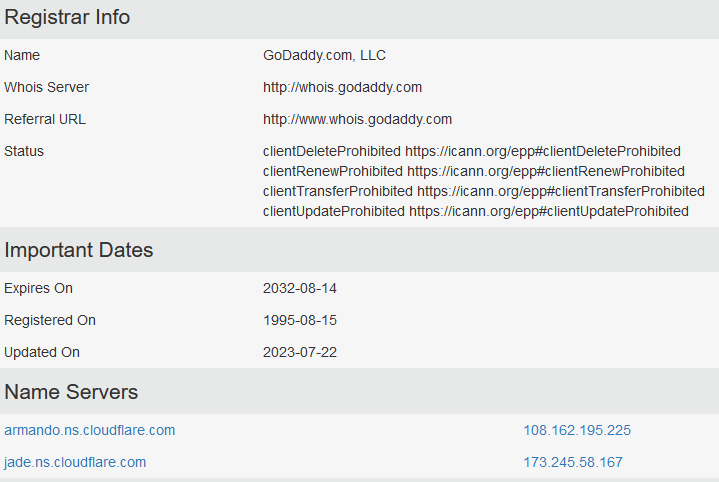 Description
Registrar Info
Name GoDaddy.com, LLC
Whois Server http://whois.godaddy.com
Referral URL http://www.whois.godaddy.com
Status
-
clientDeleteProhibited https://icann.org/epp#clientDeleteProhibited
-
clientRenewProhibited https://icann.org/epp#clientRenewProhibited
-
clientTransferProhibited https://icann.org/epp#clientTransferProhibited
-
clientUpdateProhibited https://icann.org/epp#clientUpdateProhibited
Important Dates
Expires On 2032-08-14
Registered On 1995-08-15
Updated On 2023-07-22
Name Servers
armando.ns.cloudflare.com 108.162.195.225
jade.ns.cloudflare.com 173.245.58.167
The PenTester can perform DNS and reverse DNS lookups to uncover associated subdomains, mail servers, and network infrastructure-related elements and possibly even discover other connected domains that may at first glance appear unrelated.
Network Topology
Tools such as Recon-ng can be used to start building a map of the network. Open-source information that can be discovered includes the following:
-
IP address blocks
-
Internet-facing devices on the target network, such as a web server
-
Trusted routers and firewalls
One tool that can help map the network is traceroute. Available in both Windows and Linux, traceroute shows the hops, or route, that a data packet takes to reach the target network. This gives the PenTester information about trusted routers and network devices along with IP addresses.
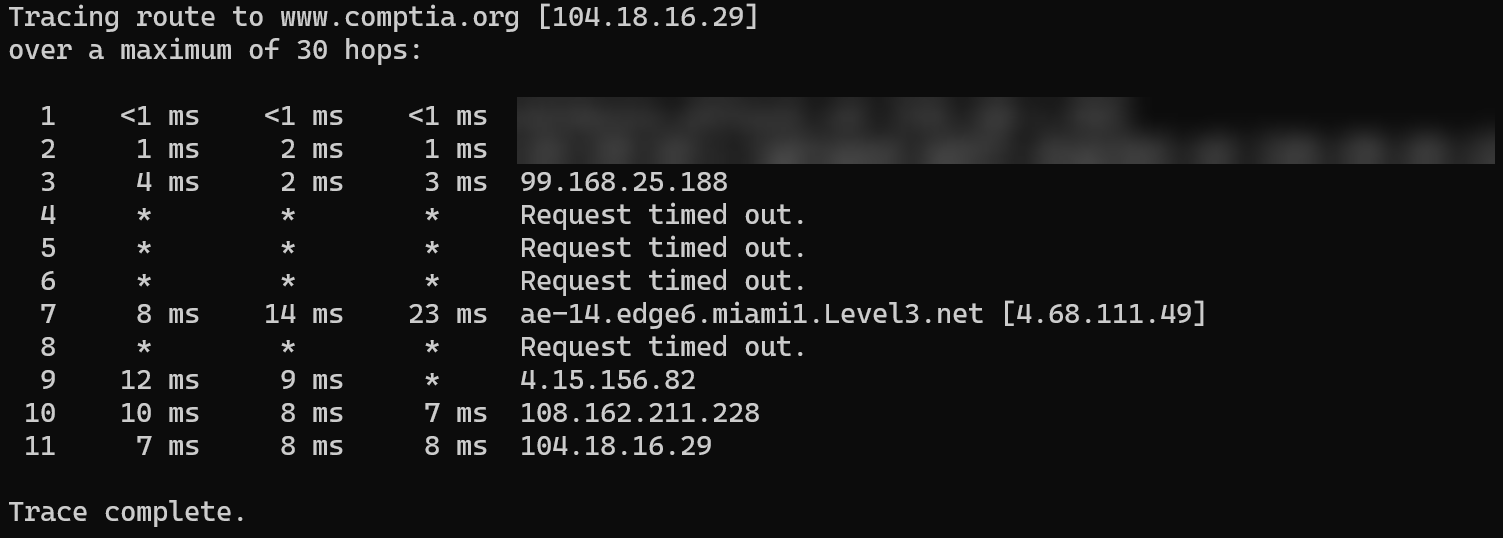 Description
Tracing route to www.comptia.org [104.18.16.29]
over a maximum of 30 hops:
1 <1 ms <1 ms <1 ms
2 1 ms 2 ms 1 ms
3 4 ms 2 ms 3 ms 99.168.25.188
4 * * * Request timed out.
5 * * * Request timed out.
6 * * * Request timed out.
7 8 ms 14 ms 23 ms ae-14.edge6.miami1.Level3.net [4.68.111.49]
8 * * * Request timed out.
9 12 ms 9 ms * 4.15.156.82
10 10 ms 8 ms 7 ms 108.162.211.228
11 7 ms 8 ms 8 ms 104.18.16.29
Trace complete.
This preliminary network topology information is crucial to building a more detailed network map later in the PenTesting process.